
Gateway Grill2.4 - App Store
You'll be able to see results in few seconds.
Publisher Description


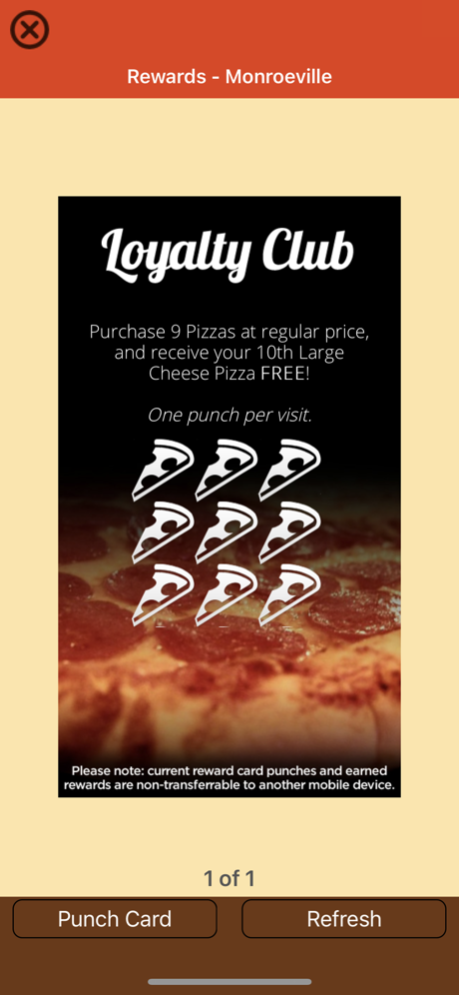

Download the new Gateway Grill app and begin your journey into gastronomic greatness as you save some money and enjoy their all-American delicious grub. Add over 700 beer selections including draft, craft, seasonal and local brews, and 20 big-screen plasma TVs, and you know this is the place to kick back after work or spend a sporting weekend! Plus, Gateway Grill also has a room for private party celebrations and a bar where you can cheer every touchdown, goal, basket and home run. Add to the score with Gateway’s delicious breakfasts!
The Gateway Grill app provides:
• A download incentive
• Loyalty Program
• Menus including Breakfast, Lunch, Dinner, Specials, Kids and Beer
• Photos
• Event and catering information
• Food and Drink Specials including coupons and daily specials
• Discounts & Special Offers
The Gateway Grill app is FREE and you will earn your first reward soon after it is downloaded.
With over 700 bottles or drafts to choose from, Gateway Grill in Monroeville scores big in the Pittsburgh, Pennsylvania area sports bar scene. Add some delicious food prepared on a wood fire grill, daily hours of 8am until 2am, family-friendly specials, and food prepared with the freshest ingredients and you will join the Gateway team for delicious all-American fare at a reasonable price, late night Happy Hour specials, a winning atmosphere and more. Hurry! Download your app now and see what all the cheering is about!
Aug 3, 2022
Version 2.4
This release includes the following updates and enhancements:
- Performance Enhancements
- Bug Fixes
About Gateway Grill
The company that develops Gateway Grill is Lisa McFadden. The latest version released by its developer is 2.4.
To install Gateway Grill on your iOS device, just click the green Continue To App button above to start the installation process. The app is listed on our website since 2022-08-03 and was downloaded 0 times. We have already checked if the download link is safe, however for your own protection we recommend that you scan the downloaded app with your antivirus. Your antivirus may detect the Gateway Grill as malware if the download link is broken.
How to install Gateway Grill on your iOS device:
- Click on the Continue To App button on our website. This will redirect you to the App Store.
- Once the Gateway Grill is shown in the iTunes listing of your iOS device, you can start its download and installation. Tap on the GET button to the right of the app to start downloading it.
- If you are not logged-in the iOS appstore app, you'll be prompted for your your Apple ID and/or password.
- After Gateway Grill is downloaded, you'll see an INSTALL button to the right. Tap on it to start the actual installation of the iOS app.
- Once installation is finished you can tap on the OPEN button to start it. Its icon will also be added to your device home screen.
Program Details
System requirements
Download information
Pricing
Version History
version 2.4
posted on 2022-08-03
Aug 3, 2022
Version 2.4
This release includes the following updates and enhancements:
- Performance Enhancements
- Bug Fixes
Disclaimer
Official App Store Link
We do not host Gateway Grill on our servers. We did not scan it for viruses, adware, spyware or other type of malware. This app is hosted by Apple and passed their terms and conditions to be listed there. We recommend caution when installing it.
The App Store link for Gateway Grill is provided to you by apps112.com without any warranties, representations or guarantees of any kind, so access it at your own risk.
If you have questions regarding this particular app contact the publisher directly. For questions about the functionalities of apps112.com contact us.
